VERSION 8
This is the most complete version of the Film Preset Collection yet.
• Cleaner Preset Organization
V8 has been reorganized into clearer Lightroom folders, making the Collection easier to install, browse, and use.
• New Film Stocks Added
New looks join the Collection, including Fuji Superia 400, Fuji Superia 1600, Kodak Vision3 500T, and more.
• Grain Reimagined
The grain system has been rebuilt to respond more naturally across shadows, midtones, and highlights, with a more believable film texture and less of a digital overlay feel.
• Smoother Highlights & Better Color
Many existing presets have been refined with smoother highlight rolloff, improved color separation, and a more consistent film response across different cameras.
• Improved LAB Scan Profiles
The LAB Scan profiles have been refined and expanded with new options inspired by Frontier and Noritsu scanner color, giving you more ways to shape the final scan-like color response.
VERSION 7
• Massive Overhaul of Key Presets
Cinestill 800T, Vision3 250D, and Provia 100F have been fully rebuilt from the ground up.
• New Film Stocks Added
Kodachrome, Cinestill BwXX, LOMO 800, and more join the lineup.
• New LAB SCANS Tab
8 custom profiles that accurately mimic the distinct color of Frontier and Noritsu lab scanners.
• Grain Reimagined
Grain now evolves naturally across luminance zones — shadows, mids, and highlights — for a truly filmic texture.
This is the most accurate grain simulation yet in Lightroom, developed through months of research.
• Expired Film Looks & Light Leaks
Fresh tones inspired by aged film stocks with unique color shifts and new one-click light leaks ranging from subtle to chaotic.
• Scanner Dust Overlays (New!)
Version 7 introduces 10 of the most realistic one-click scanner dust overlays — added as Lightroom masks to perfectly mimic the tiny hairs and particles seen in real film scans.
• Countless Fine-Tuned Improvements
Every preset from earlier versions has been polished — better tone curves, richer midtones, smoother highlight rolloff, and an all-around improved editing experience.
VERSION 6
Version 6 is here! This update brings six new presets inspired by classic film stocks—ColorPlus 200, Vision3 250D, Cinestill 400D, Ektachrome E100, Fuji Acros 100, and Double X—each carefully crafted for an authentic film look. Also now included with each preset is a 4th grain mask. This mask limits the grain strength at the max luminance ranges just like how real film behaves. I've also refined Portra and most of the existing presets for even better tonality and accuracy.
Version 5
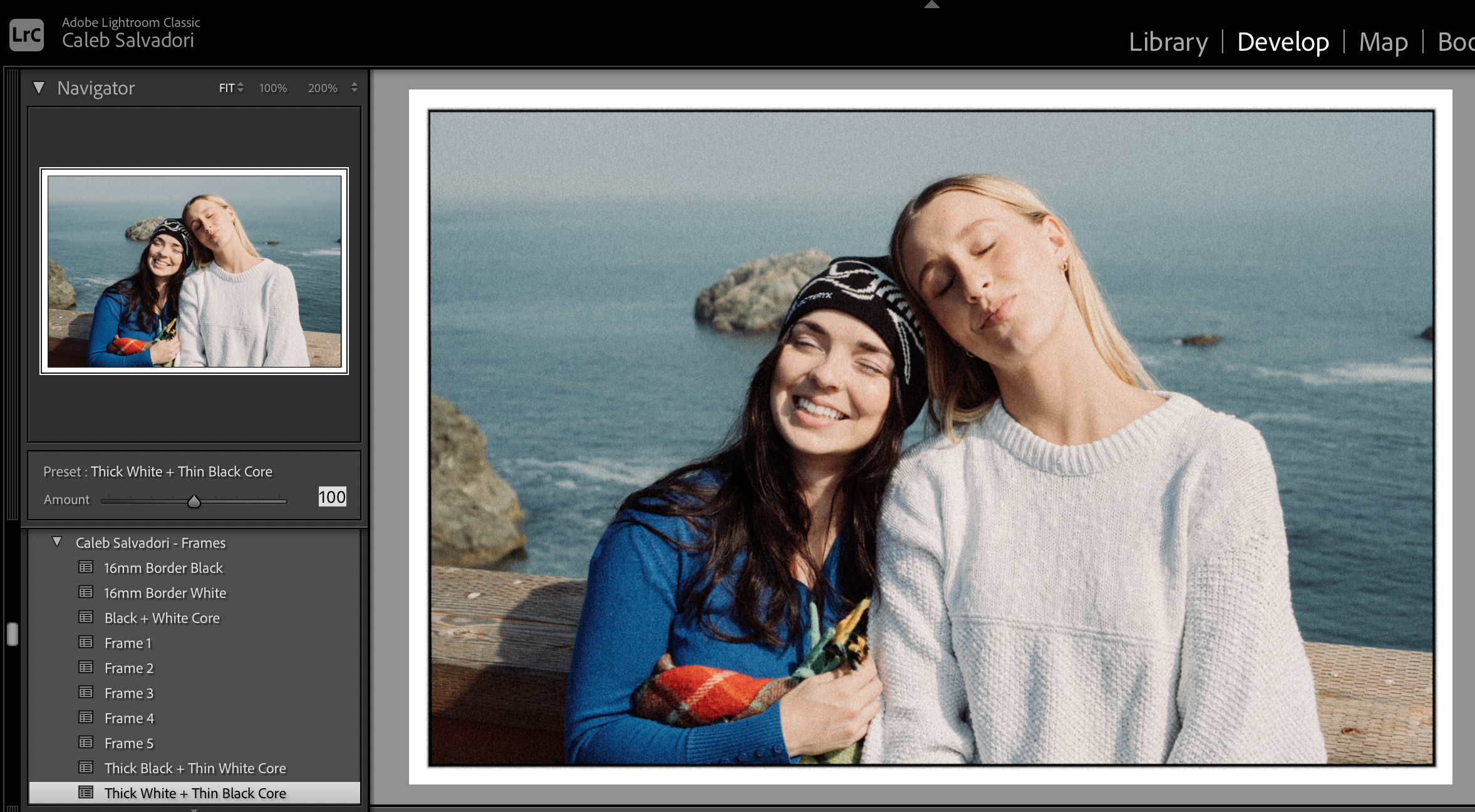
I’m excited to introduce 14 instant, one-click border options for Lightroom! It’s always amazed me that Lightroom hasn’t made adding frames simpler (yes, the Print module exists, but it’s far from ideal). With these new presets, adding a beautiful border/frame to your images is now easier than ever. I’m also introducing 2 new Halation Brushes that pair incredibly with the new Cinestill 800T!
This update also brings major improvements to the grain accuracy for popular film stocks like Portra 160, 400, 800, and Gold 200, giving your photos an even more authentic film look.
Version 4
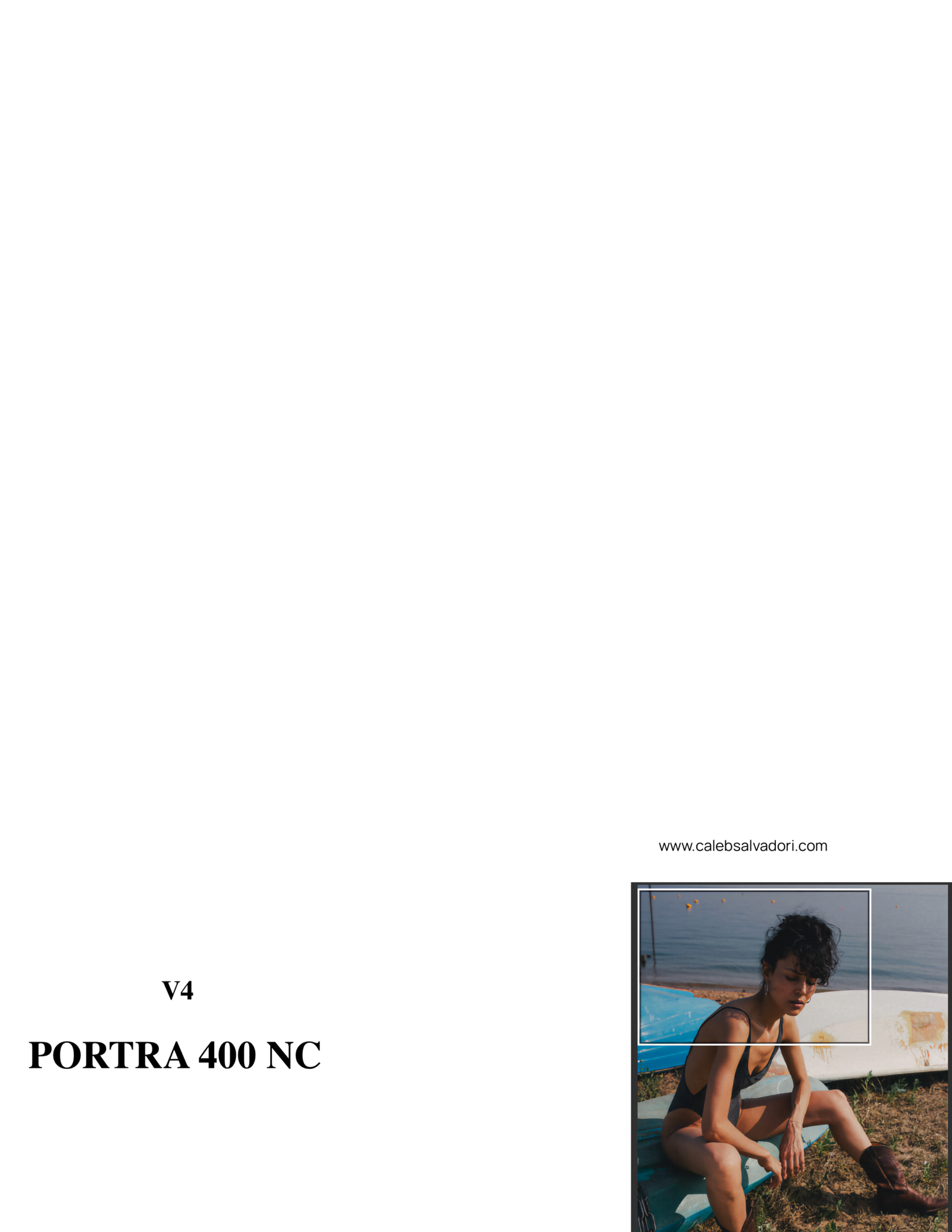
The way film works, grain is more apparent in the highlights than anywhere else, unlike digital, where noise is more apparent in shadows.
These film presets are unique from the others you’ll find. Utilizing new Lightroom features I’ve developed 3 custom automatic masks for each preset that lay the grain out naturally across every image based on luminosity values.
With Version 4, I've introduced two new presets:
Fujifilm Provia and Kodak Portra 800.
Provia offers low grain and exceptional color fidelity, resembling a softer, milder Velvia. On the other hand, Portra 800 boasts higher saturation compared to its 160/400 counterparts, accompanied by a distinctive grain texture. Additionally, this update includes 30 light leaks that range from subtle enhancements to dramatic effects. These presets provide a convenient one-click solution within Lightroom, eliminating the need for complex adjustments in Photoshop, making them more accessible.